Type, draw, and save
Drawing with the computer
Today you will draw a picture of your home with the computer and save it.
Story3 min
Laptop block: Ocen draws the football field
Ocen wants to show Akello the football field near his house.
He has no photo. He has a pencil.
Ocen says: I will draw it.
Four lines. A circle in the middle. Two goals.
Akello says: I can see it! Can the computer draw too?
Remember4 min
Laptop block: Remember
Answer with your pair. Whisper first.
- Which key makes a capital letter?
- What does a drag mean?
- What does a click say?
- Which two fingers rest on F and J?
Learn7 min
Laptop block: Tools of the DrawPad
The DrawPad is a page for drawing. It works with no internet.
Draw with a click and drag. Hold the button down. Slide. Let go.
Tools:
- Brush. Draws a free line, like a pencil.
- Line. Draws a straight line.
- Box. Draws a box.
- Circle. Draws a circle.
- Rubber. Rubs out part of the picture.
- Colours. Choose a colour before you draw.
- Undo. Takes back the last thing you drew.
- Clear. Rubs out the whole picture. It asks you first.
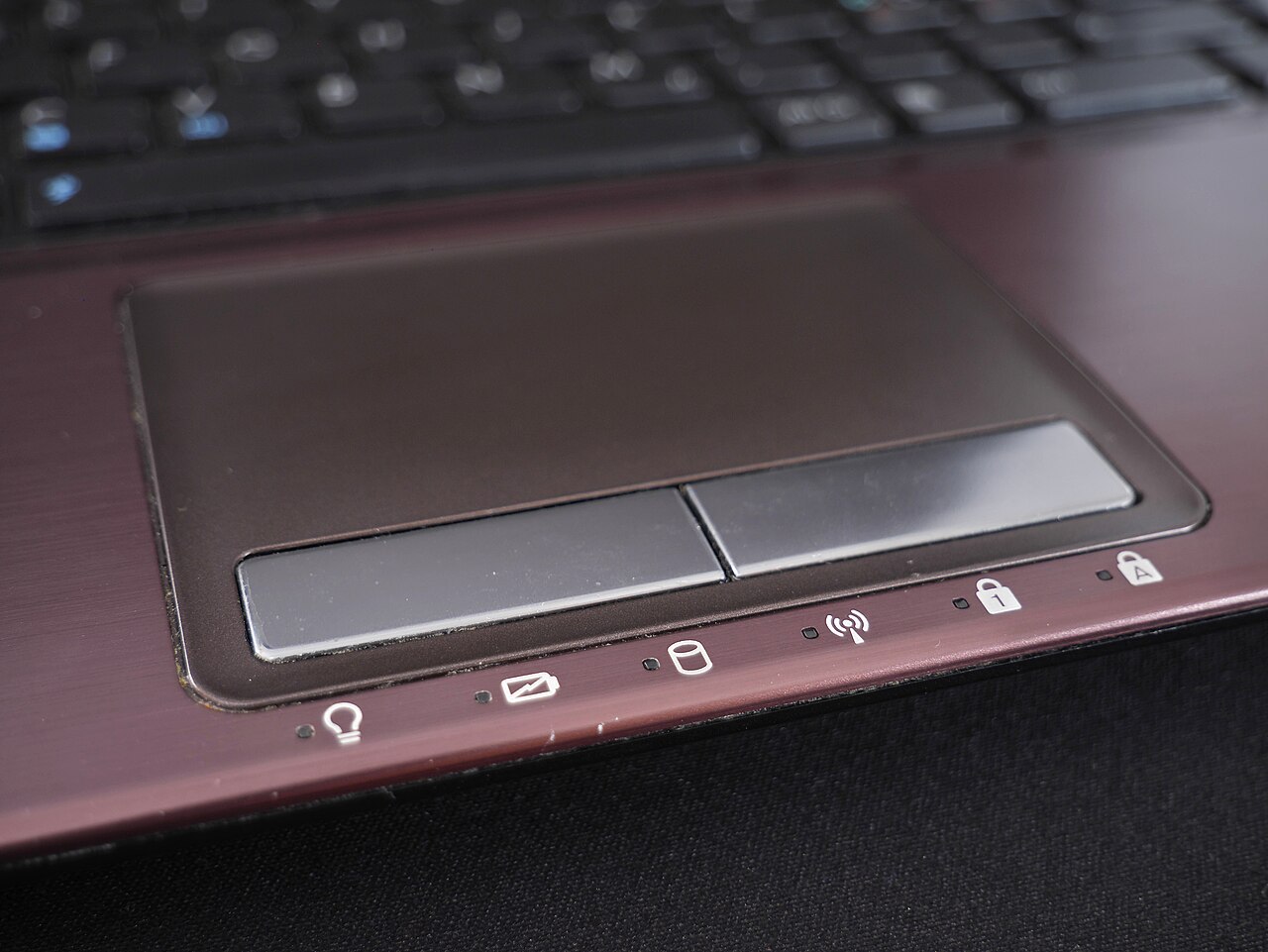 Press and slide on the touchpad. A mouse works the same way.Photo: Santeri Viinamäki, CC BY-SA 4.0
On the computer14 min
Laptop block: Draw a hut, a tree, and the sun
Work in pairs. Driver uses the hands. Navigator uses the eyes and the voice. Swap halfway.
- Draw a hut. Use the Box for the walls. Use two Lines for the roof.
- Draw a mango tree. Use a Brush line for the trunk. Use circles for the leaves.
- Draw the sun. Use a Circle. Choose yellow.
- Colour them. Choose the colour first.
- Press Undo once on purpose. Draw it again.
On the computer11 min
Laptop block: A picture of home, and save
Swap. Now each of you draws your own home. Swap halfway.
- Choose your own name at the top, in Who is learning?
- Draw your home. Add a tree, a path, the sun, or a goat.
- Add one thing only you have at home.
- Click Save my picture.
- Tell your partner about your picture in two sentences.
- Click Clear. Now your partner draws.
Did you know?3 min
Laptop block: Pictures from long ago
In eastern Uganda there is a place called Nyero. There are very old paintings on the rocks.
Long ago, people made them with paint. The paintings show shapes and patterns.
There were no computers and no paper. People still made pictures.
What would you draw to show your home?
Challenge3 min
Laptop block: Challenge
Choose one challenge. Try the next one when you are ready.
Bronze
Draw a box and a circle. Colour each one.
Silver
Draw a hut, a tree, and the sun. Save the picture.
Gold
Draw your home with five things in it. Use three tools. Save it.
Learn15 min
Paper block: Worksheet 1, plan a picture on a grid
Now you work at your table. Today’s table leader leads the table.
Do Worksheet 1. Plan your picture on the grid first.
Worksheet 1: Plan my pictureName:
Plan a picture of your home. Draw in the grid. Use pencil first.
1. Draw a hut in the grid. What shape is the roof?
2. Draw a tree beside it. Draw the sun at the top.
3. List the things in your plan. Write a number.
I will draw things.
4. Which tool will you use for each? Write the name.
The hut:
The tree:
The sun:
5. Colour your plan with crayons.
No computer12 min
Paper block: Worksheet 2, follow the steps
Do Worksheet 2. Follow the steps in order. A list of clear steps is an algorithm.
Then give your steps to a friend. See if they can draw it.
Worksheet 2: Follow the stepsName:
1. Follow these steps in the grid, in order. Use a pencil.
- Draw a big box in the middle. This is the wall.
- Draw a triangle on top of the box. This is the roof.
- Draw a small box at the bottom of the wall. This is the door.
- Draw a circle in the top right corner. This is the sun.
- Colour the roof red and the sun yellow.
2. How many things did you draw? Count them.
3. Which step comes second?
4. Write 4 steps for a drawing of a mango tree. Make them clear.
-
-
-
-
5. Give your steps to a friend. Tick when your friend has drawn it.
My friend drew it.
Wan Bene moment5 min
Paper block: Say it at the table
Go round the table. Each person says two sentences.
“My picture shows … . I like it because … .”
Speak so the person farthest from you can hear.
Exit question8 min
Paper block: Exit question
Show with your fingers.
What do you press to take back the last thing you drew?
- Rubber
- Undo
- Save
Then say: “Today I learned … .”
Home mission5 min
Home mission
Paper (everyone). Draw a picture of your home. Write four steps to draw it. Give the steps to someone at home. See if they can draw it.
Phone (only if a family phone is free, and you have asked). Open a drawing page, or a notes page with a draw tool. Draw a hut. Show someone at home.
← Words, spaces, and capital lettersSaving my work →