Today you will count in binary with five cards, change numbers up to 31 both ways, and decode a secret message.
builders120 min
Problem solving and first programs
How computers count: binary
Today you will count in binary with five cards, change numbers up to 31 both ways, and decode a secret message.
Story4 min
Teacher block: The torch across the compound
There is a power cut. Ocen is on the roof with a torch. Akello is by the borehole, far away.
Akello says: Let us send messages. A torch has only two states: on or off.
Ocen says: But how do I send the number 13? Thirteen flashes will take too long.
Akello has an idea.
Akello says: We count five beats. On each beat, the torch is on or off. Five beats make one number.
Ocen sends: off, on, on, off, on.
How could five beats of on and off carry a number?
Remember5 min
Teacher block: Recall from yesterday and last week
Think. Then show with your fingers.
Which flowchart shape asks a question? 1. Oval 2. Rectangle 3. Diamond
An arrow that goes back up to an earlier box makes a: 1. start 2. decision 3. loop
Which is the last of the four steps for a problem? 1. Understand 2. Look back 3. Plan
Which job of the computer keeps your file when the power goes off? 1. Input 2. Store 3. Output
Learn6 min
Teacher block: Why only two
A computer is made of tiny electric switches. A switch has two states: on or off.
It is easy for a machine to tell on from off. It is hard to tell ten different levels apart, especially when the electricity is a little weak or noisy. So computers use only two symbols: 0 and 1.
Counting with two symbols is called binary (“bi” means two). Counting with ten symbols, 0 to 9, is called decimal.
In decimal, each place is worth ten times the one on its right: ones, tens, hundreds.
In binary, each place is worth double the one on its right. We use five places:
16
8
4
2
1
A 1 means “use this card”. A 0 means “do not use it”. Add the cards you use.
Example: 0 1 1 0 1 means 8 + 4 + 1 = 13. This is what Ocen sent.
One binary digit is called a bit.
On a laptop, try it here: click the cards to turn them on until they make Ocen’s 13. On paper, use the five cards and the bottle tops.
Binary cards
Make the number 13. Click a card to turn it on or off.
Binary digits: 0 0 0 0 0Total: 0
No computer9 min
Teacher block: Human binary with bottle tops
Work in pairs with five cards (16, 8, 4, 2, 1) in a row, largest on the left. A bottle top on a card means 1. No top means 0.
Make the number 5. Which cards have a top? Write it as five digits.
Make 6, 7, 8, 9 and 10. Write each as five digits.
Your partner makes a pattern. You read the number. Then swap.
Learn7 min
Teacher block: Changing both ways
Binary to decimal. Add the cards that have a 1.
10110 means 16 + 4 + 2 = 22.
Decimal to binary. Start at the biggest card. If the card is not more than the number you still need, use it and take it away.
Example: 19.
Card
Is the card not more than what is left?
Use it?
Left
16
Yes (19)
1
3
8
No (3)
0
3
4
No (3)
0
3
2
Yes (3)
1
1
1
Yes (1)
1
0
19 is 10011.
Two short cuts: an odd number always ends in 1. Adding a 0 on the right doubles the number: 101 is 5, and 1010 is 10.
Learn5 min
Teacher block: Letters, bits and bytes
Computers store letters as numbers too. Everyone agrees a list. On almost every computer, a capital A is 65, B is 66, C is 67, and so on.
Two more cards are needed to reach 65: 32 and 64. A byte uses 8 cards: 128, 64, 32, 16, 8, 4, 2, 1.
A is 65 = 64 + 1. In binary: 01000001.
A group of 8 bits is called a byte. A byte can hold 256 different values, from 0 to 255. One letter in a plain text file takes one byte. The word HELLO takes 5 bytes.
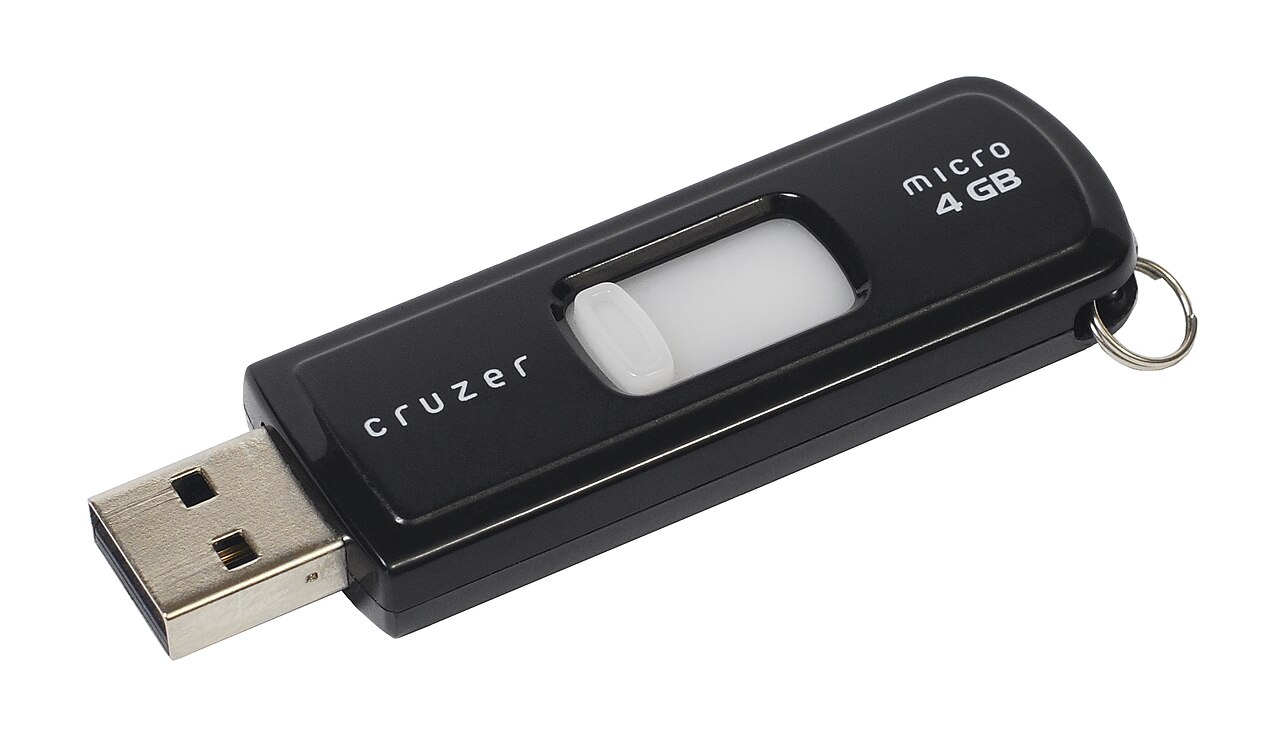
A flash drive. It holds billions of bytes.Photo: Evan-Amos, Public domain
Did you know?3 min
Teacher block: Wonder, Braille is a code of two states
Louis Braille went blind as a small boy, in France. As a teenager, in the 1820s, he made a way for blind people to read with their fingertips.
Each Braille letter sits in a small cell with six places for a dot. Each place has only two choices: a raised dot, or no dot. Two states, like on and off, like 1 and 0.
Six places with two choices each give 2 × 2 × 2 × 2 × 2 × 2 = 64 patterns (one of them is the empty cell). That is enough for every letter, every number and many signs. Blind people around the world still read Braille today.
How many patterns could Braille make with only 3 places? With 8 places?
No computer6 min
Teacher block: Paper exercise and check
Counting in binaryName:
Name:
The cards are 16, 8, 4, 2, 1.
Binary to ordinary number
00101
01010
01111
10001
10101
Ordinary number to binary (write five digits)
6
9
12
20
23
Think
What is the biggest number with five bits?
How many different numbers can five bits make, counting 0?
How many bits are in a byte?
On a computer, A is 65. What number is C?
CheckQuestion 1 of 4
Why do computers use only two states?
On the computer35 min
Laptop block: Task card, binary on the laptop
With no teacher. Read the card. Follow it. Ask your partner first.
Your pair: one driver and one navigator. Swap every 10 minutes. If there are 3 of you, one is the timekeeper and joins a pair as a second navigator. Rule: do not change another person’s file.
Before you start: if the Lenovo is off, switch it on. Choose your name at the top of the page (“Who is learning?”), so your answers are saved. Keep your five cards and bottle tops next to the laptop. The navigator uses them.
Round 1 (10 minutes): binary to number. The driver types each answer in its box. The page tells you if it is right. If it is not right, the navigator uses the cards to check.
11000
11011
11111
01110
10010
Swap!
Round 2 (10 minutes): number to binary. Write five digits. To check, the navigator can turn on the page cards below until they make the number, then read the digits from left to right. (Turn all off before the next number.)
Binary cards
Make the number 26. Click a card to turn it on or off.
Binary digits: 0 0 0 0 0Total: 0
26
29
30
18
31
Swap!
Round 3 (10 minutes): the secret message. Our code: each letter is its place in the alphabet, written as five bits.
A 1
B 2
C 3
D 4
E 5
F 6
G 7
H 8
I 9
J 10
K 11
L 12
M 13
N 14
O 15
P 16
Q 17
R 18
S 19
T 20
U 21
V 22
W 23
X 24
Y 25
Z 26
The message has three words. First change each group of five bits to a number, then to a letter.
Open the text editor. Windows: Start, type Notepad. Mac: Command and Space, type TextEdit, press Return, then Format and Make Plain Text.
Write a short message of one to three words in the code, five bits for each letter, one group on each line, as in the box above. Put a blank line between words.
Save it in your week2 folder inside projects as secret- plus your name, for example secret-ocen.txt.
Swap with the other pair, or your partner. Decode their message on paper. Write the message and say it aloud.
Leave both laptops on at the end.
Stuck? Before you ask anyone, try three things:
Read the step again, slowly, out loud.
Ask your partner: “What do you see? What do the cards say?”
Write each card’s value above the digits on paper and add the ones with a 1. If it still fails, write the problem on paper and carry on.
Challenge10 min
Laptop block: Challenges
Choose one level.
Warm up, everyone (3 minutes). Test yourselves with the word cards. Say the answer, then turn the card. (No laptop? One learner reads the front, the other says the back.)
Binary wordsCard 1 of 5
Think of the answer first. Then turn the card.
Bronze
Write your own first name in the code, with the alphabet table beside you. Check each letter with your cards. Add it to your secret file.
Silver
Decode this message and type it in the boxes. Then write a reply in code.
00010 0010101011 01001 01110 00100
Word 1:
Word 2:
Gold
Real computers use a longer list: A is 65, B is 66, and so on, so D is 68. Each letter is stored in eight bits, using the cards 128, 64, 32, 16, 8, 4, 2, 1. Decode this word, one byte at a time:
01000111 01010101 01001100 01010101
Hint: the first byte is 64 + 4 + 2 + 1 = 71. G is 71. Use the eight cards under the levels to check each byte.
The word:
Then write your own name in bytes, on paper, and give it to another learner to decode.
For gold: eight cards, to check each byte.
Binary cards
Make the number 71. Click a card to turn it on or off.
Binary digits: 0 0 0 0 0 0 0 0Total: 0
Wan Bene moment10 min
Say it out loud: how a computer counts
Stand up and talk for one minute.
Explain to us, in your own words, how a computer can count and write with only 0 and 1.
Use this shape: A computer has switches that are on or off. We write on as … and off as … . Each place is worth … . For example, … in binary is … .
Exit question10 min
Exit question
Show with your fingers.
What is 01101 as an ordinary number?
11
13
15
Then say one sentence: “Today I learned that …”
Tick your skills.
Home mission10 min
Home mission
Paper (everyone). Write your age and the day of the month you were born in binary, with five digits for each. (A day is a number from 1 to 31, so five bits is enough.) Then write the first three letters of your name in our letter code, as numbers and in binary. Give it to someone at home to decode with your cards.
Phone (only if a family phone is free, and you have asked). Find five things on the phone that have only two states, for example the torch, flight mode, or Wi-Fi. Write them on paper, with the word on or off for what you see now.